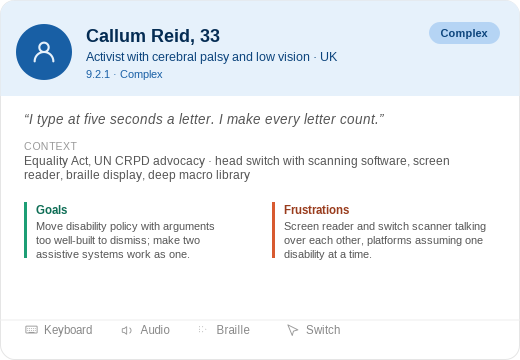
Callum Reid
Activist with cerebral palsy and low vision
UK · Europe · Age 33
- Law
- Equality Act 2010 · PSBAR
- Services
- GOV.UK
- Messaging
Assistive Technology
- Keyboard
- Audio
- Braille
- Switch
I type at five seconds a letter. I make every letter count.
Goals
Move disability policy with arguments too well-built to dismiss; make two assistive systems work as one.
Frustrations
Screen reader and switch scanner talking over each other, platforms assuming one disability at a time.
Profile
Callum Reid has cerebral palsy from oxygen deprivation at birth, together with a visual impairment. Spastic paralysis of his whole body means he uses a powered wheelchair, and his vision can only distinguish light. But with a sharp mind and strong will he completed graduate school and now works actively as a disability-rights activist. He uses a computer in a distinctive way, combining switch input with a screen reader.
Technology Environment
- Input: head switch, scanning software
- Output: screen reader (NVDA), braille display
- Assistive software: predictive text, macro programs
- Communication: speech synthesizer, text captions for video calls
Daily Scenario
At 9 a.m., Callum finishes a disability-access policy proposal he'll present today. Using a head-mounted switch, he scans the on-screen virtual keyboard; pressing the switch on the target letter selects it. Each letter averages five seconds, but predictive text speeds him up.
// Callum's multimodal access system
const multiModalAccessSystem = {
  switchScanning: {
    scanSpeed: 1.5,             // seconds, individually adjustable
    scanPattern: 'row-column',
    audioFeedback: true,
    predictions: {
      wordPrediction: true, phrasePrediction: true, contextAware: true,
      personalDictionary: ['disability rights', 'accessibility', 'UN CRPD']
    }
  },
  screenReaderIntegration: {
    announceOnHighlight: true,
    verbosityLevel: 'detailed',
    coordinationMode: 'synchronized',
    conflictResolution: { priority: 'user-initiated', audioMixing: 'duck-background' }
  },
  macros: {
    'sig1': 'Callum Reid, Senior Researcher, Disability Rights Institute',
    'email1': 'Hello. I have a question regarding disability accessibility.',
    'cite1': 'According to Article 9 of the UN CRPD'
  }
};
At lunch he has a video meeting with colleagues. Callum turns on his camera but mostly listens. When he speaks, he outputs prepared text through a speech synthesizer. Live conversation is hard, but he conveys deep, precise opinions, and his colleagues wait patiently for him to finish.
In the afternoon, he tests a government website for accessibility, listening via screen reader and navigating with the switch. He finds a keyboard trap—an element the Tab key can't escape. An ordinary user escapes it easily with a mouse, but for Callum it's a serious barrier. He writes a detailed report and sends it to the relevant department.
Challenges & Strategies
- Input-speed constraint: multiple disabilities mean very slow input. Callum prefers short, clear sentences and prepares important content in advance.
- Conflicts between systems: it's confusing when switch scanning and the screen reader speak at once. He has finely tuned audio priorities.
- Physical fatigue: prolonged use of the head switch hurts his neck. He strictly keeps to 50 minutes of work and 10 of rest.
Design Implications
- Multi-input support: a structure where several assistive technologies can operate at once.
- Maximize efficiency: achieve the most with the fewest actions.
- Error tolerance: design that makes mistakes easy to undo.
- Asynchronous participation: an alternative to live interaction.