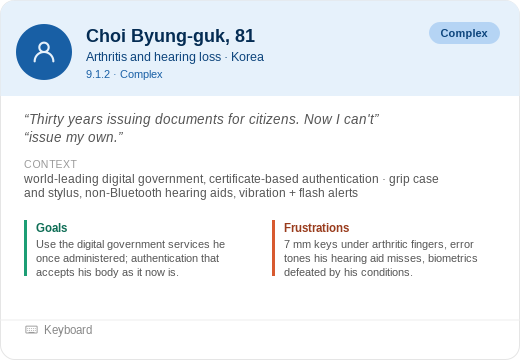
최병국 · Choi Byung-guk
Arthritis and hearing loss
Korea · East Asia (Korea) · Age 81
- Law
- 장차법 · KWCAG 2.2
- Services
- 정부24 / 카카오·토스
- Messaging
- KakaoTalk
Assistive Technology
- Keyboard
Thirty years issuing documents for citizens. Now I can't issue my own.
Goals
Use the digital government services he once administered; authentication that accepts his body as it now is.
Frustrations
7 mm keys under arthritic fingers, error tones his hearing aid misses, biometrics defeated by his conditions.
Profile
Choi Byeong-guk has fingers deformed by rheumatoid arthritis and wears a hearing aid for age-related hearing loss. A retired civil servant, he tries to use digital government services but struggles with small touch targets and systems that rely heavily on audio guidance. He feels especially frustrated during identity verification.
Technology Environment
- Smartphone: silicone grip case, capacitive stylus
- Hearing support: digital hearing aid (older model, no Bluetooth)
- Input: voice recognition (low accuracy), large keyboard
- Alerts: vibration + LED flash + screen blink
Daily Scenario
Monday morning, Byeong-guk tries to issue a residence certificate from the government-services app. The first obstacle is entering the digital-certificate password. With arthritis-stiffened fingers it's hard to press the small keyboard, and the error tone each time he mis-types he can't hear because his hearing aid is off.
// Difficulties Byeong-guk faces during verification
Problem situations:
1. Password entry
   - Keyboard button size: 7mm x 7mm (recommended: 15mm min)
   - Typo rate: 70%
   - Timeout: frequent (30-second limit)

2. Identity confirmation
   - SMS verification: can't hear the text alert tone
   - Face recognition: hand tremor makes holding the camera hard
   - Fingerprint: print deformed by arthritis

3. Audio guidance
   - Interference between hearing aid and speaker
   - Fast speech (180 words/min)
   - Hard to understand jargon
He barely manages to log in, but the next problem is menu selection—accurately touching a small checkbox is hard. He tries a stylus, but its response is inconsistent. Press too hard and the phone slips; too soft and it doesn't register.
After 30 minutes of trying, he gives up issuing the certificate and asks his son to do it for him. Digital services are said to be convenient, but for Byeong-guk they have become a barrier instead.
Challenges & Strategies
- Difficulty coordinating motor and sensory input: he can't hear feedback tones through the hearing aid, and dulled finger sensation makes it hard to know instantly whether a touch succeeded. Byeong-guk relies on on-screen visual changes, but the slow response confuses him.
- Verification barriers: biometric authentication fails due to bodily changes, and SMS verification is easy to miss. He tried making a shared family certificate but security policy made it impossible.
- Difficulty asking for help: even calling the call center, the ARS menu is hard to hear, and a masked agent's voice is even harder to make out.
Design Implications
- Multimodal feedback: clear feedback using audio, visual, and vibration together.
- Flexible verification: provide varied methods, allow family proxy verification.
- Touch tolerance: wide target areas that recognize imprecise touches.
- Speed control: user-adjustable timeouts.