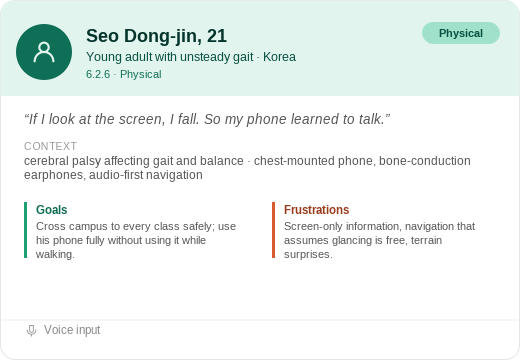
서동진 · Seo Dong-jin
Young adult with unsteady gait
Korea · East Asia (Korea) · Age 21
- Law
- 장차법 · KWCAG 2.2
- Services
- 정부24 / 카카오·토스
- Messaging
- KakaoTalk
Assistive Technology
- Voice input
If I look at the screen, I fall. So my phone learned to talk.
Goals
Cross campus to every class safely; use his phone fully without using it while walking.
Frustrations
Screen-only information, navigation that assumes glancing is free, terrain surprises.
Profile
Seo Dong-jin is a university student with a gait impairment from cerebral palsy. His balance is weak, so looking at a phone while walking is dangerous. He relies mainly on auditory information and voice feedback, and has developed safe ways to use digital devices.
Technology Environment
- Hands-free: neck-strap phone mount, bone-conduction earphones
- Voice-centric: spoken navigation, voice memos
- Safety: fall detection, location sharing, emergency contacts
- Input: voice input, large-button interfaces
Daily Scenario
At 8 a.m. Dong-jin leaves the dorm and checks the route to his lecture hall. His phone is fixed in a chest-height neck mount. Since looking at the screen means stopping, he relies mostly on spoken guidance.
"In 300 meters, turn left. There's a ramp ahead." He walks listening to navigation through bone-conduction earphones—he avoids regular earphones, which block ambient sound and create risk.
// Dong-jin's safe-while-walking digital setup
const walkingSafetyMode = {
  navigation: {
    mode: 'audio_first',
    details: {
      distance_alerts: [100, 50, 20, 5],   // meters
      terrain_warnings: true,              // 'stairs', 'ramp', 'uneven'
      landmark_callouts: true,             // 'passed the convenience store', 'reached the crossing'
      vibration_patterns: { turn: 'short_short', arrival: 'long_long', hazard: 'rapid_burst' }
    },
    safety: { auto_pause_on_stop: true, ambient_mode: 'always', volume_limit: 60, crossing_alert: 'enhanced' }
  },
  fallDetection: {
    sensitivity: 'high',
    detection_method: ['accelerometer', 'gyroscope'],
    response: { initial_wait: 30, alert_sound: true, auto_call: { enabled: true, delay: 60, contacts: ['mom', 'roommate', '119'] } }
  },
  voiceControl: {
    activation: 'hey_phone',
    commands: { 'where_am_i': 'current_location', 'help': 'emergency_alert', 'pause_nav': 'navigation_pause', 'call_friend': 'speed_dial_1' },
    feedback: 'audio_only'
  }
};
Reaching the lecture hall, Dong-jin sits and starts recording. Taking notes while keeping balance is hard, so he mostly records lectures and organizes them later, flagging key points by voice memo: "Bookmark, the part explaining the midterm scope."
At lunch, heading to the cafeteria, he wants to check the menu but stopping to look at his phone risks collisions in the crowd. Instead he says, "Tell me today's menu," and a voice assistant linked to the school app reads it out.
After afternoon class, Dong-jin works on assignments in the library. Carrying books while moving is hard, so he mainly uses e-books—tablet on a stand, turning pages by voice: "Next page," "Go to page 17." In the evening he meets friends at an unfamiliar place; anxious, he sets off with live location sharing on and an auto-sent ETA to his friends, always carrying a power bank just in case.
Challenges & Strategies
- Danger of multitasking: looking at a screen while walking risks a fall. Dong-jin relies on audio information and always stops when he needs visual information.
- Physical fatigue: unsteady walking tires him quickly. He maps rest spots along his route in advance and leaves plenty of time.
- Protecting devices: he's at high risk of dropping them. He uses a reinforced case and strap and has device insurance.
Design Implications
- Voice-first interface: a voice-centric UX that minimizes visual dependence.
- Context awareness: detect the user's movement state and switch modes appropriately.
- Stronger safety features: fall detection, automatic alerts, location tracking.
- Simplification option: a streamlined mode offering only essentials while moving.