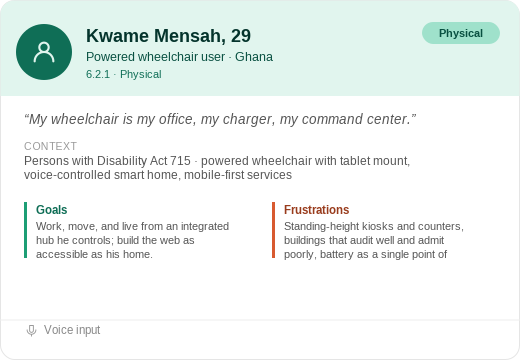
Kwame Mensah
Powered wheelchair user
Ghana · Africa · Age 29
- Law
- Persons with Disability Act 715
- Services
- Ghana.gov / MoMo
- Messaging
Assistive Technology
- Voice input
My wheelchair is my office, my charger, my command center.
Goals
Work, move, and live from an integrated hub he controls; build the web as accessible as his home.
Frustrations
Standing-height kiosks and counters, buildings that audit well and admit poorly, battery as a single point of failure.
Profile
Kwame Mensah is a web planner with paraplegia from a spinal-cord injury. He mounts a tablet on his latest powered wheelchair to work even while on the move. He makes full use of smart-home technology to live independently and also works as a web-accessibility specialist.
Technology Environment
- Powered wheelchair: tilt/recline, USB charging ports, tablet mount
- Workspace: height-adjustable powered desk, multi-monitor arms
- Smart home: voice-controlled lighting, temperature, appliances
- Mobile: a tablet fixed to the wheelchair mount, voice assistant
Daily Scenario
At 7 a.m. Kwame gets up and transfers to his powered wheelchair. "Hey Google, good morning," he says, and the curtains open, the lights come on, and his favorite music plays. Everything in the bathroom and kitchen is set to wheelchair height.
Ready to leave, he moves to the front door. A smart lock recognizes his wheelchair and opens automatically. The elevator is in wheelchair mode, so the doors stay open longer and the buttons are also placed low.
// Kwame's smart-wheelchair system
const smartWheelchairSystem = {
  wheelchair: {
    controls: { joystick: 'proportional', sipAndPuff: 'backup', headArray: 'emergency' },
    mounting: {
      tablet: { position: 'adjustable_arm', angle: 'tilt_30_to_90', quickRelease: true },
      smartphone: { location: 'armrest', wireless_charging: true }
    },
    power: { battery: '25km_range', usb_ports: 4, ac_outlet: 1 }
  },
  environmentControl: {
    method: 'voice_primary',
    backup: 'tablet_app',
    devices: { lights: 'all_rooms', temperature: 'zone_control', doors: 'auto_open', appliances: 'smart_plugs' },
    scenarios: {
      arriving_home: ['unlock_door', 'turn_on_lights', 'adjust_temperature', 'play_music'],
      working: ['adjust_desk_height', 'optimal_lighting', 'do_not_disturb', 'monitor_positioning']
    }
  },
  mobility: {
    navigation: 'wheelchair_accessible_routes',
    parking: 'accessible_spot_finder',
    building_info: 'accessibility_database',
    emergency: 'location_sharing'
  }
};
At the office, Kwame positions himself at a powered height-adjustable desk and raises it with his wheelchair controller. The monitor is already at eye level. He detaches the tablet from the wheelchair mount to use as a second screen.
At lunch, he heads to a restaurant with colleagues, using a navigation app that guides him along wheelchair-accessible routes—elevator wait times, ramp locations, and threshold heights provided in real time.
Challenges & Strategies
- Physical accessibility: many spaces are still hard to reach by wheelchair. Kwame checks accessibility in advance and prepares alternatives.
- Device placement: standard-height kiosks and ATMs are hard to use. He prefers mobile apps or online services.
- Emergencies: getting help is hard if a problem arises while he's alone. He always keeps an emergency-call system and location sharing on.
Design Implications
- Flexible placement: interfaces usable from various heights and angles.
- Remote control: options operable without physical reach.
- Voice-first: full control without using the hands.
- Integrated system: a central hub to control everything from the wheelchair.