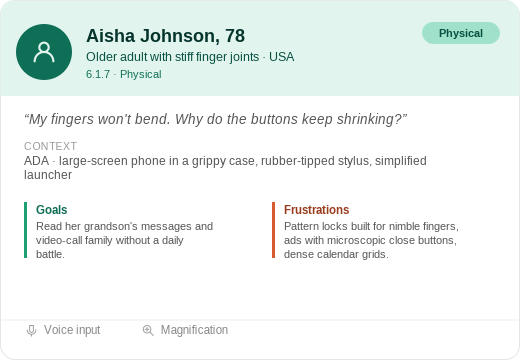
Aisha Johnson
Older adult with stiff finger joints
USA · North America · Age 78
- Law
- ADA · Section 508
- Services
- Login.gov / state portals
- Messaging
- iMessage · WhatsApp
Assistive Technology
- Voice input
- Magnification
My fingers won't bend. Why do the buttons keep shrinking?
Goals
Read her grandson's messages and video-call family without a daily battle.
Frustrations
Pattern locks built for nimble fingers, ads with microscopic close buttons, dense calendar grids.
Profile
Aisha Johnson is an older adult with severe degenerative arthritis that makes bending her fingers difficult. Pressing small smartphone buttons is especially painful. She longs to video-call her grandchildren, but the daily struggle with digital devices is a war that repeats every day.
Technology Environment
- Smartphone: large screen, silicone case for grip
- Aids: thick rubber stylus, phone stand
- Settings: maximum text size, simple mode, long touch time
- Main apps: video calling, photo album, weather
Daily Scenario
At 7 a.m. Aisha tries to check her grandson's good-morning message. Even gripping the phone is work. Her arthritic fingers won't straighten or bend properly. She finally holds the phone and tries to unlock it.
She gave up pattern lock long ago—drawing an accurate pattern with stiff fingers is impossible. She switched to a four-digit PIN with large numbers, but even that goes wrong often: reaching for "1-2-3-4," her finger slips and enters "1-2-2-4."
// Accessibility settings for Aisha
Phone settings:
+- Display
|   +- Font size: maximum (200%)
|   +- Screen zoom: 3x
|   +- High-contrast mode: on
|
+- Touch
|   +- Touch-and-hold delay: very long (0.5s)
|   +- Ignore repeated touches: 0.5s
|   +- Touch assist: on
|   +- Haptic feedback: strong
|
+- Home screen
|   +- Simple launcher: "Senior mode"
|   +- App count: only 6 shown
|   +- Icon size: extra large
|
+- Key apps
    +- Phone: large-button dialer
    +- Messages: voice input by default
    +- Camera: voice shutter
To video-call her grandchild, she opens the calling app, but an ad pop-up appears first. She has to press the small X at the top right, hard to hit accurately with stiff fingers. After several tries she taps the ad by mistake and a browser window opens. Flustered, she looks for back, presses the home button, and starts over.
In the afternoon, Aisha needs the hospital app to make an appointment. The small date cells in the calendar are packed too tightly. Reaching for the 15th she hits the 14th, and trying to fix it she flips to the next month. In the end she phones her daughter to book for her.
Challenges & Strategies
- No fine movement: swipes and pinch-zoom are nearly impossible. Aisha uses only taps and zooms with buttons.
- Small touch areas: typical app buttons are too small. She seeks out 'easy' apps and tries to learn voice commands.
- Complex interfaces: many functions and menus confuse her. Aisha uses only 3–4 essential apps, and just one or two features within each.
Design Implications
- Large touch targets: at least 60×60 px, ideally 80×80 px.
- Spacing: enough gap between buttons to prevent mis-taps.
- Simple gestures: tap-centric, with alternatives for complex gestures.
- Error prevention: a confirmation step for important actions, easy undo.