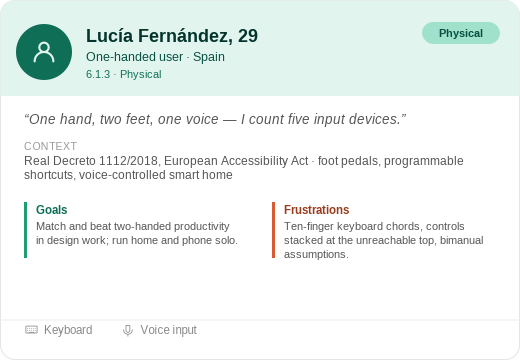
Lucía Fernández
One-handed user
Spain · Europe · Age 29
- Law
- RD 1112/2018 · EAA
- Services
- Cl@ve
- Messaging
Assistive Technology
- Keyboard
- Voice input
One hand, two feet, one voice — I count five input devices.
Goals
Match and beat two-handed productivity in design work; run home and phone solo.
Frustrations
Ten-finger keyboard chords, controls stacked at the unreachable top, bimanual assumptions.
Profile
Lucía Fernández was born with a congenital upper-limb difference and uses only her right arm. She works as a graphic designer and handles every digital task skillfully with one hand. With a specially arranged workspace and creative problem-solving, she matches—and sometimes exceeds—the productivity of her non-disabled colleagues.
Technology Environment
- Smartphone: one-handed mode, PopSocket, custom gestures
- Computer: programmable keyboard, foot pedals, voice commands
- Design tools: graphics tablet with custom shortcuts
- Smart home: IoT devices controlled by voice assistant
Daily Scenario
At 7:30 a.m. Lucía gets up and says, "Hey Google, start my morning routine." The curtains open automatically, her favorite music plays, and she hears the weather and her schedule. She holds the phone in one hand and operates everything with her thumb.
At work she starts a design task. In Photoshop she needs to build a complex selection, which usually means holding Shift while dragging the mouse. Lucía has mapped a foot pedal to Shift, so she presses the pedal with her foot while her hand handles only the mouse.
# Lucía's custom shortcuts for one-handed work
one_handed_shortcuts = {
    # Foot-pedal mapping (3 pedals)
    'foot_pedal_1': 'Shift',
    'foot_pedal_2': 'Ctrl',
    'foot_pedal_3': 'Alt',

    # Run combo shortcuts by voice
    'voice_commands': {
        'copy': 'Ctrl+C',
        'paste': 'Ctrl+V',
        'select all': 'Ctrl+A',
        'save': 'Ctrl+S',
        'undo': 'Ctrl+Z',
        'duplicate layer': 'Ctrl+J',
        'group': 'Ctrl+G'
    },

    # Mouse gestures
    'mouse_gestures': {
        'right_swipe': 'next_tool',
        'left_swipe': 'previous_tool',
        'circle_cw': 'zoom_in',
        'circle_ccw': 'zoom_out'
    },

    # Phone shortcut gestures
    'phone_shortcuts': {
        'back_tap_double': 'screenshot',
        'back_tap_triple': 'one_handed_mode',
        'shake': 'undo_typing'
    }
}
At lunch, Lucía orders food on her phone. Most delivery apps put important buttons at the top of the screen, hard to reach one-handed. She turns on the phone's one-handed mode to shrink the screen and slide it downward.
In an afternoon client meeting she presents. She holds a wireless presenter in one hand to advance slides while gesturing to explain. When she draws on a whiteboard, she uses a magnetic board mount to hold the paper steady.
Challenges & Strategies
- Difficulty with simultaneous actions: combos like Ctrl+Alt+Delete are impossible. Lucía combines Sticky Keys with foot pedals.
- Hard-to-reach screen areas: she can't reach the top of a large phone. She leans on gesture navigation and voice commands.
- Need to hold things in place: writing while pressing paper, or ruling a line against a straightedge, is hard. She uses various stands, clips, and non-slip mats.
Design Implications
- One-handed optimization: make every function reachable within the lower two-thirds of the screen.
- Gesture customization: user-definable shortcut gestures.
- Context menus: reach all options with a long press.
- Floating buttons: repositionable shortcut buttons.