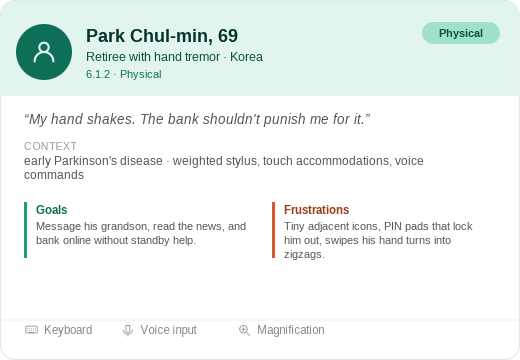
박철민 · Park Chul-min
Retiree with hand tremor
Korea · East Asia (Korea) · Age 69
- Law
- 장차법 · KWCAG 2.2
- Services
- 정부24 / 카카오·토스
- Messaging
- KakaoTalk
Assistive Technology
- Keyboard
- Voice input
- Magnification
My hand shakes. The bank shouldn't punish me for it.
Goals
Message his grandson, read the news, and bank online without standby help.
Frustrations
Tiny adjacent icons, PIN pads that lock him out, swipes his hand turns into zigzags.
Profile
Park Cheol-min is a retired teacher diagnosed with early-stage Parkinson's three years ago. His main symptom is a resting tremor, worst in his right hand. He wants to keep in touch with family by smartphone and tablet, but tapping small icons accurately is a major challenge.
Technology Environment
- Tablet: 10-inch or larger, non-slip case
- Aids: a weighted stylus, a wrist weight band
- Settings: touch calibration, extended long-press time
- Apps: prefers apps with tremor-compensation features
Daily Scenario
At 9 a.m., Cheol-min tries to send his grandson a birthday message. The moment he grips the phone, his right hand starts to tremble. Reaching for the messaging app's small icon, he hits the adjacent phone icon and places a call by accident. Flustered, he tries to hang up quickly, but the red end-call button is hard to press too.
// Tremor-compensation interface settings for Cheol-min
const tremorCompensation = {
  // Enlarge touch targets
  touchTargetSize: {
    minimum: 60,      // px
    recommended: 80,
    spacing: 20       // min gap between buttons
  },
  // Filter tremor
  touchFiltering: {
    enabled: true,
    sensitivity: 'high',
    averagingTime: 300,  // ms
    deadZone: 10         // px radius
  },
  // Prevent unintended touches
  accidentalTouchPrevention: {
    doubleClickTime: 800,  // ms (2× default)
    longPressTime: 2000,   // ms (3× default)
    swipeThreshold: 100    // px (requires a longer swipe)
  },
  // Visual feedback
  feedback: {
    haptic: 'strong',
    visual: 'enlarged-ripple',
    audio: true
  }
};
In the afternoon he tries online banking. The small numeric keypad for his account password is a big obstacle. With a trembling hand he hits '2' reaching for '1', and while looking for the delete key he accidentally presses confirm. After three failures his account locks and he has to phone the bank.
In the evening, Cheol-min reads the newspaper on his tablet. Swiping to scroll, his tremor makes the motion zigzag and the page flips sideways. He decides to use voice commands instead: "Scroll down," he says, and the page moves smoothly.
Challenges & Strategies
- Accurate targeting: pressing small buttons or links precisely is hard. Cheol-min uses screen magnification together with a weighted stylus.
- Unintended actions: tremor turns a tap into a swipe, or one tap into several. He lowers touch sensitivity and lengthens the intent-confirmation time.
- Text entry: using the virtual keyboard is nearly impossible. He relies mainly on voice input and, when necessary, predictive text.
Design Implications
- Tremor-compensation algorithm: average successive touch inputs to infer the intended location.
- Confirmation step: extra confirmation for important actions (delete, transfer).
- Voice alternative: a voice-command option for every major function.
- Undo: an easily reachable cancel/undo button.