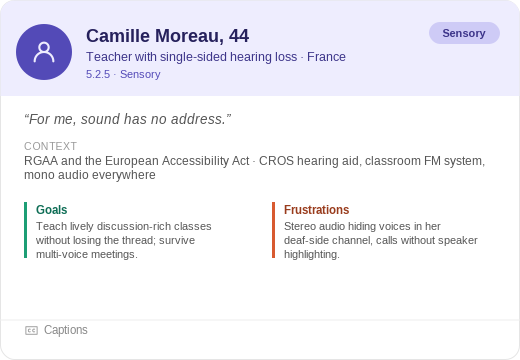
Camille Moreau
Teacher with single-sided hearing loss
France · Europe · Age 44
- Law
- RGAA · EAA
- Services
- FranceConnect
- Messaging
Assistive Technology
- Captions
For me, sound has no address.
Goals
Teach lively discussion-rich classes without losing the thread; survive multi-voice meetings.
Frustrations
Stereo audio hiding voices in her deaf-side channel, calls without speaker highlighting.
Profile
Camille Moreau is a teacher with single-sided deafness, having lost all hearing in her left ear after complications from a middle-ear infection. Hearing on one side only, she finds it hard to tell where a sound is coming from, and noisy environments are especially difficult. She uses a range of strategies to communicate with students in the classroom.
Technology Environment
- Aid: a CROS hearing aid (routes left-side sound to the right ear)
- Classroom: FM system, wireless microphone
- Personal devices: mono-audio setting, bone-conduction headphones
- Online teaching: stereo→mono conversion essential
Daily Scenario
Tuesday, second period, Camille is teaching English. When students break into group discussion and sound comes from several directions at once, it's very confusing. She arranged the room in a U-shape so every student falls within her right-side hearing.
// Camille's classroom layout strategy
+-----------------------------------+
|        Board / Screen             |
|                                   |
|   Teacher (listens with R ear)    |
|                                   |
|        U-shaped seating           |
|   S   S   S   S   S               |
|   S                   S           |
|   S                   S           |
|   S   S   S   S   S               |
|                                   |
|  FM mic passed around the class   |
+-----------------------------------+
Online classes are harder still. If a student's voice comes from the left side of her headphones, she can't hear it at all. Camille switched her computer's audio to mono so every sound plays in both ears.
// Audio settings for single-sided deafness
const monoAudioSettings = {
  // Windows
  windows: {
    setting: 'Accessibility > Audio > Turn on mono audio',
    balance: 'center (left/right equal)'
  },
  // Per video-conferencing app
  zoom: {
    audio: 'disable stereo',
    speakerView: 'prioritize right placement'
  },
  // Media player
  mediaPlayer: {
    audioChannel: 'mono mix-down',
    subtitles: 'always on'
  }
};
In staff meetings, seat choice matters. Camille always sits at the left end of the table so everyone is to her right. Even so, when several people talk at once it's hard to tell who is speaking.
Challenges & Strategies
- No sound localization: she can't tell where a sound originates. Camille uses visual cues and confirms the speaker by eye.
- Listening in noise: with one ear, the cocktail-party effect (selective listening) doesn't work. She makes the environment as quiet as possible and uses an FM system.
- Listening fatigue: relying on one ear tires her faster. She schedules important classes in the morning and leans heavily on visual materials.
Design Implications
- Mono-audio option: a feature to mix stereo information down to mono.
- Speaker indication: visually highlight who is speaking in video meetings.
- Spatial-audio alternative: convey direction information visually or tactilely.
- Flexible layout: let screen arrangement adjust to the listening side.