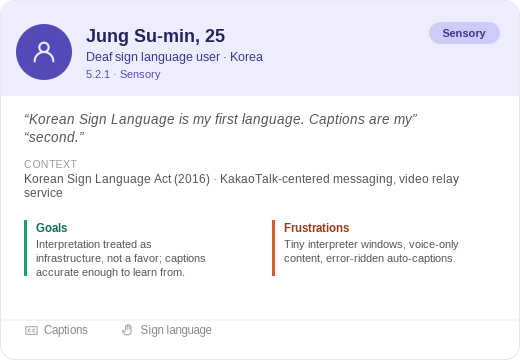
정수민 · Jung Su-min
Deaf sign language user
Korea · East Asia (Korea) · Age 25
- Law
- 장차법 · KWCAG 2.2
- Services
- 정부24 / 카카오·토스
- Messaging
- KakaoTalk
Assistive Technology
- Captions
- Sign language
Korean Sign Language is my first language. Captions are my second.
Goals
Interpretation treated as infrastructure, not a favor; captions accurate enough to learn from.
Frustrations
Tiny interpreter windows, voice-only content, error-ridden auto-captions.
Profile
Jeong Su-min is a congenitally Deaf person whose first language is Korean Sign Language. She works as a graphic designer and has a special talent for visual communication. She takes strong pride in Deaf culture and communicates actively through sign and text. She is helping build an inclusive workplace where Deaf and hearing colleagues work together.
Technology Environment
- Video meetings: split-screen for the sign-language interpreter, high-quality webcam
- Alert system: visual alerts (screen flash, smart bulbs)
- Communication: live text interpreting, sign-recognition AI (experimental)
- Collaboration: Slack, visual project-management tools
Daily Scenario
Monday morning's team meeting, Su-min joins the video call. The company provides a professional sign-language interpreter, but the interpreter's window is shown too small. Su-min adjusts the layout so she can see the interpreter and the presentation slides at once.
// Su-min's preferred video-meeting layout
const accessibleVideoLayout = {
  interpreter: {
    size: 'large',           // 40% of the screen
    position: 'pinned-right',
    priority: 'always-visible',
    quality: 'high-definition'
  },
  presenter: {
    size: 'medium',          // 30% of the screen
    position: 'top-left'
  },
  sharedScreen: {
    size: 'medium',          // 30% of the screen
    position: 'bottom-left'
  },
  captions: {
    enabled: true,
    position: 'bottom',
    fontSize: 'large',
    background: 'semi-transparent-black'
  }
};
Mid-task, she gets an alert that a client is calling. The edge of her monitor flashes red and her smartwatch vibrates. Su-min sends an auto-reply: "Hello, this is Su-min. I'm Deaf, so phone calls are difficult. If you reach me by email or text, I'll respond quickly."
After lunch, Su-min watches a design tutorial video. The auto-generated captions are full of errors, making the content hard to follow—quality drops sharply when technical terms or English words are mixed in. She leaves a comment asking for accurate captions or a transcript.
Challenges & Strategies
- Audio-centric content: podcasts and audio-only narration videos are inaccessible. Su-min looks for transcripts or summaries, or asks her community for help.
- Real-time communication: spontaneous conversation and brainstorming are hard. She shares agendas in advance and leans on text-based collaboration tools.
- Limits of interpreting: an interpreter can't be present for every situation. She combines sign-recognition AI with live captioning.
Design Implications
- Visual alternatives: a visual representation for all audio information.
- Room for sign: enough screen space for sign-language interpreting in video meetings.
- Accurate captions: human-edited captions rather than auto-generated.
- Asynchronous support: text-based collaboration as an alternative to live conversation.