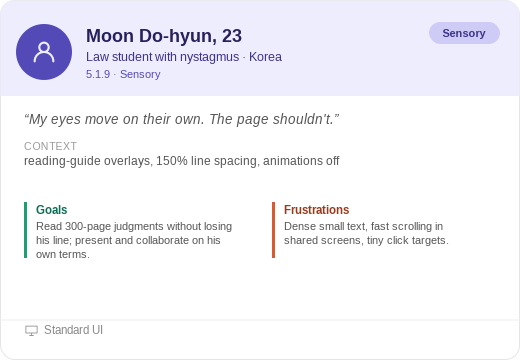
문도현 · Moon Do-hyun
Law student with nystagmus
Korea · East Asia (Korea) · Age 23
- Law
- 장차법 · KWCAG 2.2
- Services
- 정부24 / 카카오·토스
- Messaging
- KakaoTalk
Assistive Technology
- Standard UI
My eyes move on their own. The page shouldn't.
Goals
Read 300-page judgments without losing his line; present and collaborate on his own terms.
Frustrations
Dense small text, fast scrolling in shared screens, tiny click targets.
Profile
Moon Do-hyun is a law student with congenital nystagmus. Involuntary horizontal eye movement makes it hard for him to track text and hold focus. Small type and long sentences are especially difficult, but he performs excellently in his studies using a range of assistive tools.
Technology Environment
- PDF reader: a reading-guide feature (current line highlighted)
- Browser: the Visor extension (reading-focus tool)
- Documents: 150% line spacing, font size 16pt or larger
- Monitor: aligned to eye level, at an appropriate distance
Daily Scenario
Monday morning, Do-hyun is analyzing constitutional case law. He has to read a 300-page judgment as a PDF, and with an ordinary reader he keeps losing his place. He uses a special reading tool that brightens only the current line and slightly dims the rest.
/* Do-hyun's reading-guide style */
.reading-guide {
  position: absolute;
  width: 100%;
  height: 2.5em; /* slightly taller than the line */
  background: rgba(255, 255, 0, 0.3); /* translucent yellow */
  pointer-events: none;
  transition: top 0.1s ease-out;
}

.reading-guide::before,
.reading-guide::after {
  content: '';
  position: absolute;
  width: 100%;
  height: 100vh;
  background: rgba(0, 0, 0, 0.1); /* faint gray overlay */
}

.reading-guide::before { bottom: 100%; }
.reading-guide::after  { top: 100%; }
During the afternoon seminar, Do-hyun prepares his presentation. Nystagmus makes it hard to point at a specific spot on a slide, so instead of a laser pointer he numbers the slides and guides verbally—"If you look at item 3…"
In the evening, his online study group reviews a document together via screen share. When someone scrolls quickly, Do-hyun can't follow at all. He asks the group to scroll slowly or move page by page.
Challenges & Strategies
- Difficulty tracking text: on long lines, finding the next line is hard. Do-hyun tracks physically with a finger or ruler and uses a digital reading guide.
- Vulnerability to fast motion: scrolling, animation, and auto-advance make him dizzy. He turns off all animation and prefers manual control.
- Difficulty with precise pointing: small links and buttons are hard to click accurately. He lowers the mouse speed and prefers interfaces with large click areas.
Design Implications
- Reading aids: line highlight, reading mask, paragraph-focus features.
- Scroll control: smooth-scroll options, page-by-page movement.
- Generous line spacing: 1.5× or more to keep lines clearly separated.
- Static interface: minimize movement—no auto-slides or rotating banners.